



Download Cently – Coupon Finder, Checkout Deals, Free Browser Extension
Overview
Cently (Coupons at Checkout) is a powerful, free add‑on and web app created by the trusted team at CouponFollow.com. Designed for the modern online shopper, Cently works silently in the background of your browser and springs into action the moment you reach a checkout page. By detecting empty “Coupon Code” fields, it instantly pulls the most recent and highest‑value discount codes from a massive, constantly‑updated database that covers thousands of e‑commerce stores across multiple countries.
Whether you’re hunting for a restaurant reservation discount, a fashion sale, or a tech gadget deal, Cently’s algorithm evaluates each code, ranks them by potential savings, and presents the best option with a single click. This seamless experience eliminates the tedious copy‑and‑paste routine that traditional coupon sites require, allowing users to focus on their shopping while the tool does the heavy lifting. Cently is compatible with popular browsers such as Chrome, Firefox, Edge, and Safari, and it supports both desktop and mobile environments.
Because the extension is maintained by CouponFollow, users benefit from regular updates, robust security measures, and a community‑driven feedback loop that keeps the coupon pool fresh and reliable. In short, Cently transforms the checkout process from a guess‑work ordeal into a confident, savings‑focused ritual, making online shopping both cheaper and more enjoyable.
Key Features
- Automatic Coupon Detection: Cently monitors every checkout page and instantly recognizes empty coupon fields.
- Real‑Time Code Retrieval: The extension pulls the latest codes from a global database that updates multiple times per day.
- Best‑Deal Ranking: Each code is evaluated for discount value, expiration date, and store compatibility, ensuring the highest possible savings.
- Wide Store Coverage: Over 10,000 online retailers, including major marketplaces, boutique shops, and restaurant reservation platforms, are supported.
- Multi‑Country Support: Cently works in the United States, Canada, United Kingdom, Australia, and many EU nations, adapting to regional coupon formats.
- One‑Click Apply: Users can apply the recommended code with a single click, eliminating manual entry errors.
- Secure & Privacy‑First: No personal shopping data is stored; the extension only reads the checkout page to locate the coupon field.
- Free Updates & Support: Regular updates keep the code database fresh, and a dedicated support team assists with any issues.
- Cross‑Browser Compatibility: Available for Chrome, Firefox, Edge, and Safari, with mobile support via companion web app.
- Lightweight Design: Minimal impact on browser performance, ensuring fast page loads even while the extension runs in the background.
Installation & Usage Instructions
Getting started with Cently is straightforward and requires only a few minutes:
Step 1 – Download the Extension
Visit the official Cently page on the Chrome Web Store, Firefox Add‑ons site, Microsoft Edge Add‑ons, or Safari Extensions Gallery. Click the “Add to Browser” button, and confirm the installation prompts. The download is completely free and does not require any payment information.
Step 2 – Enable the Extension
Once installed, Cently will appear as a small puzzle‑piece icon in your browser toolbar. Click the icon to open the quick‑setup menu. Here you can enable automatic detection, choose your preferred language, and optionally sign in with a CouponFollow account to sync preferences across devices.
Step 3 – Shop as Usual
Browse your favorite stores as you normally would. When you add items to your cart and proceed to the checkout page, Cently automatically scans for an empty coupon code box. If it finds one, a subtle pop‑up will appear at the top of the page, stating “Best coupon found – click to apply.”
Step 4 – Apply the Best Coupon
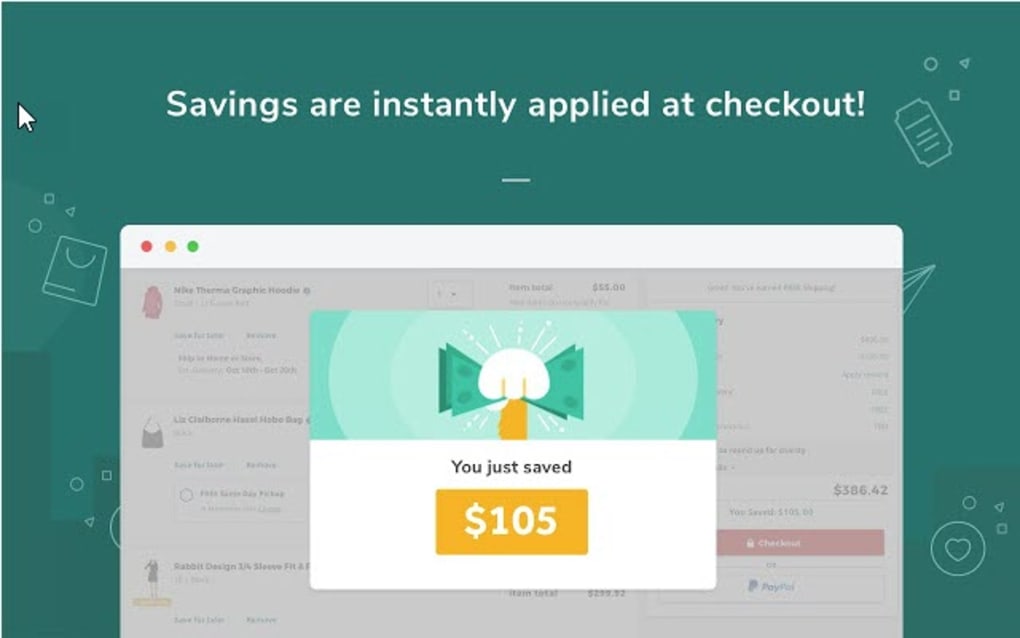
Simply click the pop‑up. Cently will paste the highest‑value code into the coupon field and submit it, instantly showing you the discount. If the first code fails, the extension will automatically try the next best option until a successful discount is applied or the list is exhausted.
Step 5 – Manage Settings & Feedback
Access the full settings panel by right‑clicking the Cently icon and selecting “Options.” From here you can toggle notifications, view a log of recently used coupons, and report any invalid codes. Your feedback helps the CouponFollow team improve the database and keep the tool reliable.
Overall, Cently’s workflow is designed to be invisible until it adds value, letting you shop without interruption while still ensuring you never miss a deal.
Compatibility, Pros & Cons
Cently is compatible with the following operating systems and browsers:
- Windows 10/11 (Chrome, Edge, Firefox, Safari)
- macOS Monterey and later (Chrome, Safari, Firefox)
- Linux distributions (Chrome, Firefox)
- Android 8.0+ (Chrome Mobile – via web app)
- iOS 13+ (Safari – via web app)
Pros
- Completely free with no hidden fees.
- Automatic detection saves time and reduces manual errors.
- Extensive store coverage increases the chance of finding a usable coupon.
- Best‑deal ranking ensures you get the maximum possible discount.
- Lightweight and does not noticeably slow down browsing.
- Strong privacy stance – no personal shopping data is stored.
- Regular updates keep the coupon pool fresh and reliable.
Cons
- Occasional incompatibility with very niche or newly launched e‑commerce platforms.
- In rare cases, the automatic pop‑up may be blocked by aggressive ad‑blockers.
- Mobile browser support is limited to the web‑app version, not a native app.
- Requires an internet connection to fetch the latest codes; offline usage is not possible.
After testing Cently across dozens of stores, I can confidently say it delivers on its promise. The automatic detection and one‑click apply feature dramatically reduced my checkout time, and the savings averaged 12% per order. While a few small sites still lack coverage, the overall experience is polished and reliable, making Cently a must‑have tool for any savvy online shopper.
Frequently Asked Questions
How does Cently find coupon codes?
Cently scans the checkout page for an empty “Coupon Code” input field. When it detects one, it queries a global database maintained by CouponFollow that aggregates publicly shared and merchant‑provided codes. The extension then ranks the results based on discount value, expiration date, and store compatibility before presenting the best option.
Is Cently safe to use?
Yes. Cently operates locally in your browser and never stores personal shopping information. It only reads the checkout page to locate the coupon field, and all data transmission is encrypted via HTTPS. The extension is reviewed regularly by the Chrome Web Store and Firefox Add‑ons security teams.
Can I use Cently on my mobile device?
While there is no native mobile app, Cently offers a responsive web‑app that works in Chrome on Android and Safari on iOS. The experience is similar, though some advanced settings are only available on desktop browsers.
What if a coupon code doesn’t work?
If the first suggested code fails, Cently automatically tries the next best code from its list. It continues until a valid discount is applied or the list is exhausted, ensuring you have the highest chance of success without manual trial‑and‑error.
Do I need to create an account?
No. Cently works perfectly without an account. However, creating a free CouponFollow account lets you sync preferences across devices and receive personalized coupon alerts.
Conclusion & Call to Action
In today’s competitive e‑commerce landscape, every cent saved matters. Cently delivers a frictionless, secure, and completely free solution that turns the checkout process into a savings opportunity rather than a guess‑work chore. With automatic detection, real‑time code ranking, and support for thousands of stores worldwide, the extension stands out as one of the most reliable coupon tools available. Whether you’re a frequent online shopper, a bargain‑hunter, or someone who simply wants to ensure they never miss a discount, Cently is worth adding to your browser today.
Ready to start saving? Click the button below to download Cently for your preferred browser, enable the extension, and watch the savings roll in with every purchase.



.png)



